
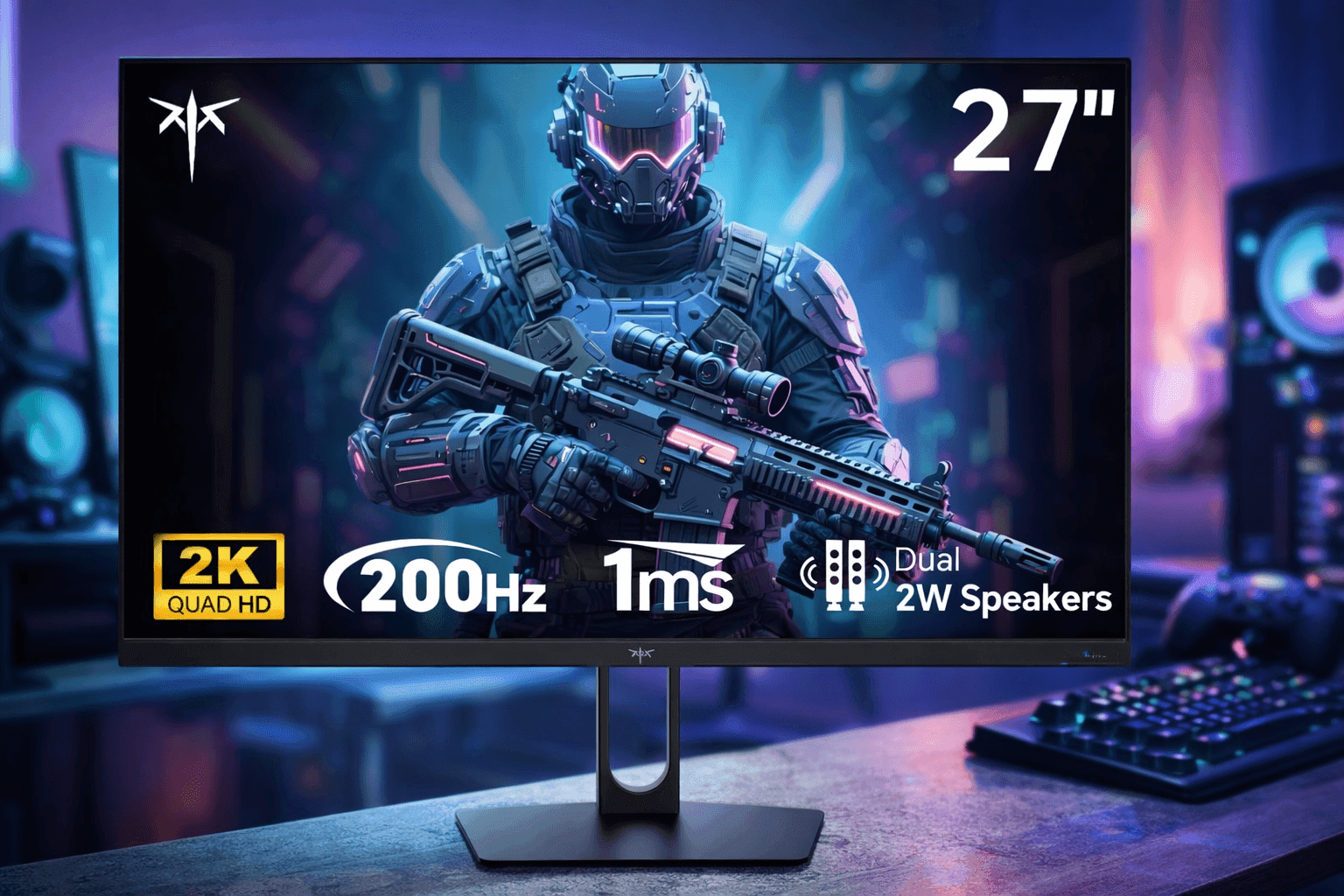
Fast reflexes help in games, but your screen does just as much work behind the scenes. The KTC 27-Inch 2K Gaming Monitor steps into that role with a balance of performance and price that makes it appealing for many setups. You get a 2560×1440 resolution, a high refresh rate, and a design that fits both gaming and daily use.
If your current display feels limiting—blurry details, slow response, or washed-out colors—this upgrade can change how everything looks and feels. From competitive shooters to casual browsing, the difference is noticeable right away.
KTC 27-Inch 2K Gaming Monitor: Key Features and First Impressions
Right out of the box, the KTC 27-inch display feels clean and modern. The slim bezels make it a solid fit for dual-monitor setups, and the stand offers decent stability for everyday use.
Key specs you should know:
- 27-inch IPS panel
- 2560 × 1440 (QHD) resolution
- Up to 165Hz refresh rate
- 1ms response time (MPRT)
- AMD FreeSync support
- HDR10 compatibility
The IPS panel stands out immediately. Colors look accurate without needing heavy calibration, which helps if you use the screen for both gaming and content consumption.
If you’ve been searching for a best budget 1440p gaming monitor, this model fits squarely in that category.
Display Quality and Color Performance
The jump from 1080p to 1440p is noticeable, especially on a 27-inch screen. Text appears sharper, and in-game textures look more defined.
In practical use:
- Colors feel balanced, not overly saturated
- Viewing angles stay consistent from different positions
- Brightness is strong enough for most indoor lighting
HDR10 support is included, though it performs at a basic level. You won’t get deep cinematic contrast like premium HDR displays, but it still adds a bit more depth in supported games.
For casual creators or streamers, the color accuracy is good enough for light editing work.
Gaming Performance: Smooth and Responsive
This is where the monitor earns attention. The 165Hz refresh rate delivers smoother motion compared to standard 60Hz displays.
In fast-paced games:
- Motion blur is reduced
- Tracking moving targets feels easier
- Input lag stays low
If you play titles like FPS shooters or racing games, you’ll notice the improvement quickly. Pairing it with FreeSync helps eliminate screen tearing, especially on mid-range GPUs.
Many users looking for a 165Hz gaming monitor 27 inch are aiming for this exact balance—smooth gameplay without overspending.
Amazon US Pricing and Value
On Amazon US, the KTC 27-Inch 2K Gaming Monitor typically sits between $180 and $230, depending on availability and promotions.
That price range places it among strong competitors in the affordable 2K gaming monitor category.
Compared to similar models:
- Cheaper options often cut refresh rate or panel quality
- Higher-end models increase cost without major gains for casual users
For most setups, this monitor hits a practical middle ground. You get performance that feels premium without paying premium prices.
How It Compares to Other 27-Inch QHD Monitors
Looking at the broader market, this display competes with brands like LG, ASUS, and AOC.
Where it stands out:
- Better pricing than many big-name alternatives
- Competitive refresh rate
- Solid IPS panel performance
Where others may win:
- More ergonomic stands (height adjustment, swivel)
- Stronger HDR performance
- Brand reputation and long-term support
If you’re searching for a KTC gaming monitor review, this is the kind of comparison that matters most—real trade-offs, not just specs on paper.
Setup and Ease of Use
Setting up the monitor is straightforward.
- Assembly takes about 5–10 minutes
- Ports are easy to access (HDMI, DisplayPort)
- On-screen menu is simple to navigate
The interface lets you tweak brightness, color modes, and refresh rate without confusion.
One limitation is the stand adjustability. You can tilt it, but height adjustment is limited. Many users solve this with a VESA mount.
Industry Trends: Why 1440p Is Becoming the Standard
The shift toward 1440p gaming is happening fast. According to the Steam Hardware Survey, more players are moving beyond 1080p as GPUs become more capable.
Why this matters:
- Better clarity without the heavy load of 4K
- Higher frame rates are easier to maintain
- Ideal balance for mid-range systems
This trend explains the growing demand for 2K gaming monitor with FreeSync options like this one.
Pros and Cons You Should Know
No monitor is perfect, and this one has a clear set of strengths and limitations.
Pros:
- Excellent value for the price
- Smooth 165Hz performance
- Sharp 1440p resolution
- Good color accuracy for an IPS panel
Cons:
- Basic HDR performance
- Limited stand adjustments
- Average built-in speakers
Understanding these points helps you decide if it fits your setup instead of relying on hype.
Who Should Buy This Monitor?
This monitor works best for:
- Gamers upgrading from 60Hz or 1080p displays
- Budget-conscious buyers who want high refresh rates
- Users who split time between gaming and productivity
It may not suit:
- Competitive esports players needing ultra-low latency panels
- Users looking for premium HDR visuals
- Those who need advanced ergonomic adjustments
For most people, though, it covers the essentials very well.
Practical Tips Before You Buy
To get the most out of this monitor:
- Use DisplayPort to unlock full 165Hz performance
- Adjust color settings for your room lighting
- Consider a monitor arm for better ergonomics
Also, check your GPU. A mid-range card like an RTX 3060 or RX 6600 handles 1440p gaming comfortably in many titles.
Final Thoughts
The KTC 27-Inch 2K Gaming Monitor delivers where it matters most—smooth gameplay, clear visuals, and a price that makes sense.
It doesn’t try to compete with high-end displays packed with premium extras. Instead, it focuses on real-world usability. That approach works in its favor.
If you want a reliable upgrade without overspending, this monitor is a strong option to consider. Take a look on Amazon, compare current deals, and explore similar models to find the best fit for your setup.