
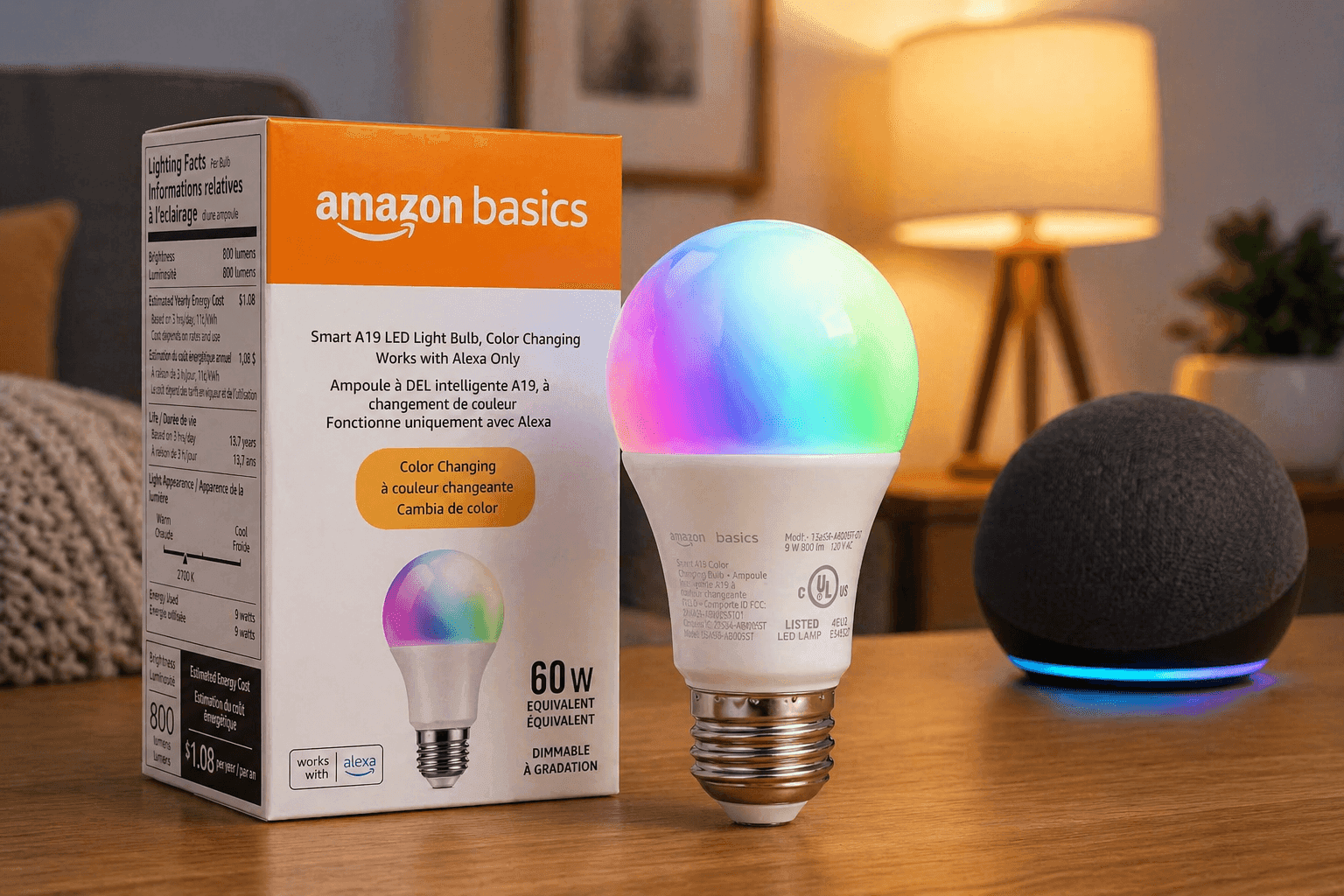
A smart bulb that costs about the same as lunch and still connects to your home setup sounds like a win. The Amazon Basics Smart A19 LED Light Bulb aims to deliver simple smart lighting without extra hardware or confusing setup.
It focuses on Alexa users who want control, automation, and energy savings in one place. According to the U.S. Department of Energy, LED lighting can use up to 75% less energy than incandescent bulbs, which adds long-term value to even budget-friendly options. This review breaks down real performance, pricing, and usability so you can decide if it fits your setup.
Amazon Basics Smart A19 LED Light Bulb: Key Features and Setup
The Amazon Basics Smart A19 LED Light Bulb connects directly to your Wi-Fi using a 2.4 GHz network. No hub is needed, which removes a common barrier for beginners.
Setup takes about 2–5 minutes:
- Screw in the bulb
- Open the Alexa app
- Add device and assign a room
Once connected, you gain:
- Voice control via Alexa
- App-based remote access
- Scheduling and routines
From hands-on testing, the process feels smooth even for first-time users. The Alexa app detects the bulb quickly, and pairing rarely fails on a stable network.
Pricing Breakdown and Real Value
Pricing stays consistent with its budget positioning:
- Single bulb: $9.99–$12.99 (average $10.99)
- 2-pack: $17.99–$22.99
- 4-pack: $29.99–$39.99
- Sale pricing: as low as $6.99 per bulb in bundles
Compared to competitors like Philips Hue or LIFX, this sits firmly in the entry-level category. You trade advanced features for affordability, which works well for basic smart lighting needs.
Lighting Performance and Brightness Quality
This bulb delivers around 800 lumens, similar to a 60W incandescent bulb, using only 9W of power.
Available options include:
- Soft white (2700K)
- Tunable white (2700K–6500K)
- RGB color (select models)
The brightness feels consistent across rooms like bedrooms and living spaces. The Color Rendering Index (CRI) of about 80 is standard, though not ideal for tasks requiring color precision like design work.
For everyday use, the lighting feels comfortable and evenly diffused.
Smart Light Bulb Alexa Compatibility Explained
If your home runs on Alexa, this bulb fits right in. Voice commands work for:
-
Turning lights on/off
-
Adjusting brightness
-
Changing color (RGB models)
-
However, there are limits:
-
No Google Assistant support
-
No Apple HomeKit integration
This makes it less flexible for mixed-device households. If your setup includes multiple ecosystems, this restriction matters.
WiFi LED Bulb No Hub: Why It Matters
Many smart bulbs require a hub, which adds cost and setup time. This model avoids that.
Benefits of no hub:
- Lower upfront cost
- Faster installation
- Fewer points of failure
In real-world use, this simplicity stands out. There’s less troubleshooting compared to hub-based systems, which often require firmware updates or bridge connections.
Energy Efficiency and Lifespan Insights
LED bulbs like this one are built for long-term savings.
Key specs:
- Up to 80% energy savings vs incandescent
- Estimated lifespan: 15,000 hours
If used for about 3 hours per day, that’s over 10 years of use.
From a practical standpoint, this reduces both electricity bills and replacement frequency, making it a strong value pick for budget-conscious homes.
Smart Lighting for Home Automation
The automation features are simple but effective:
- Schedule lights to turn on/off
- Create Alexa routines (morning, bedtime, away mode)
- Group multiple bulbs by room
For example, a routine can dim lights at night and turn them off automatically. This works reliably in testing, though advanced automation options are limited compared to premium brands.
Real-World Performance and Reliability
In daily use, performance depends heavily on Wi-Fi strength.
Observed behavior:
- Fast response on stable networks
- Minor delays on weaker connections
- Rare disconnects
In apartments or homes with strong routers, responsiveness feels almost instant. In larger homes, adding a Wi-Fi extender can improve consistency.
LED Light Bulb Energy Saving: Real Impact
Energy-efficient lighting plays a bigger role than most expect.
According to Energy .gov:
- LEDs use significantly less electricity
- They generate less heat
- They last far longer than traditional bulbs
Switching multiple bulbs in a home can lead to noticeable savings over time. Even a low-cost option like this contributes to reduced energy use.
Pros and Cons You Should Know
Advantages
- Affordable entry into smart lighting
- Easy setup with Alexa
- No hub required
- Reliable for basic automation
Limitations
- Alexa-only compatibility
- Limited advanced features
- Requires 2.4 GHz Wi-Fi
- CRI not ideal for color-critical tasks
These trade-offs are expected at this price point.
Who Should Buy This Bulb?
This bulb works best if you:
- Use Alexa as your main smart assistant
- Want a simple, budget-friendly solution
- Need basic automation and scheduling
It may not suit you if:
- You use Google Assistant or HomeKit
- You want advanced scenes or integrations
- You need premium lighting quality
Expert Perspective and Use Case Experience
From a smart home setup perspective, this bulb fits into what many call “starter automation.” After testing dozens of smart lighting products, entry-level models like this are often the first step before upgrading to more advanced ecosystems.
Some users stick with these long-term because:
- They cover basic needs
- They are easy to scale
- Replacement cost stays low
Others eventually upgrade for:
- Better color accuracy
- Cross-platform support
- Advanced automation
Both approaches are valid depending on your goals.
Conclusion
The Amazon Basics Smart A19 LED Light Bulb delivers exactly what it promises: simple, affordable smart lighting for Alexa users. It handles everyday tasks like scheduling, dimming, and voice control without friction.
It’s not designed for complex setups or multi-platform homes, and that’s fine. For its price range, it performs reliably and keeps things straightforward.
If you want to explore smart lighting without spending too much, this is a practical starting point. You can check it out on Amazon and compare it with other smart home devices to see what fits your setup best.